Taming a Solis inverter from Home Assistant
A 2023 hobby script that put my Solis inverter into Home Assistant, the 2026 rebuild in Go, and what the inverter taught me along the way.
In the batteries post I said I’d look into night tariffs and whether the app was enough. Short answers: yes, and no. The long answer is solis-inverter-manager.
Three years of a hobby hack
Until late August 2022 we sat on the price-capped standard tariff. Then Octopus Tracker through the winter, and from January 2023 Octopus Go, with a cheap overnight window that makes charging the battery from the grid worth doing. Export started in April 2023, when I switched to Octopus Flux for the summer. Flux paid well in the sunny months, but for winter Go’s overnight rate wins, so it has been Go, a second summer of Flux, and from May 2024 Intelligent Octopus Go. Export has been paid continuously since that first Flux switch, at somewhere between 8p and 15p a unit depending on the year.
A night tariff only pays if the battery fills up at night, and I wanted that in Home Assistant, which I was already running.
So in January 2023 I wrote a Python script. It talked to the inverter’s datalogger (the Wi-Fi stick plugged into the inverter) over the local network, read the battery, panels and grid, and published them to MQTT with Home Assistant discovery so the sensors appeared on their own. It ran as a Docker container on a home server and polled every 40 seconds.
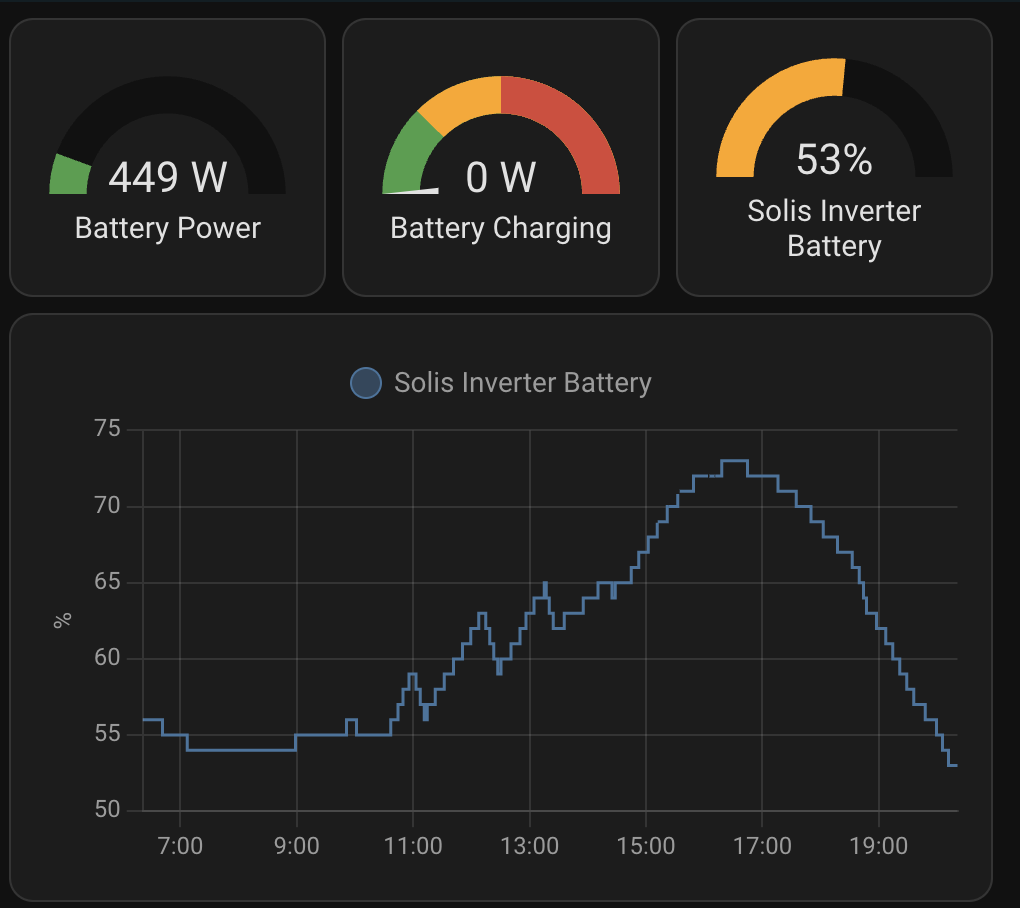
Control was one MQTT topic. A Home Assistant automation published a number of amps to solar_inverter_manager/set_charge, and the script wrote it to the inverter. The overnight charge window showed up as entities alongside it.
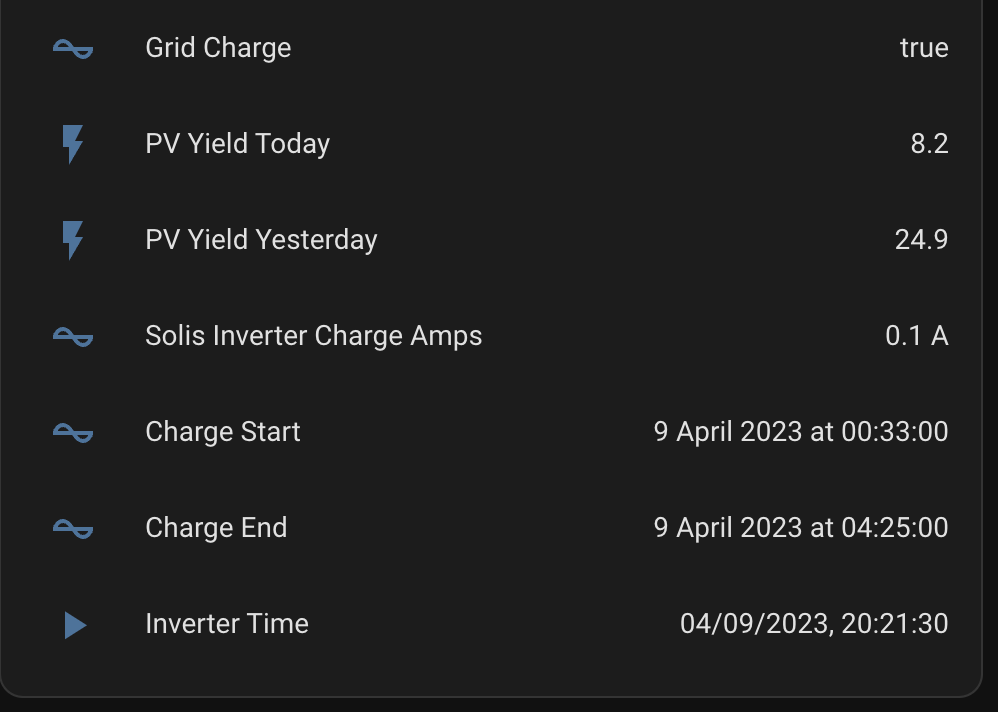
It was a hobby hack: get enough working, then stop. I stopped in May 2023 and didn’t touch it for three years. Coming back to it in 2026, the list was the usual one. A committed .env with real secrets in it. No availability, so when it died, Home Assistant carried on showing the last numbers as though nothing had happened. Controls that were raw MQTT topics wired up by hand-written automations. And, it turned out, a grid import figure and a grid export figure that were really the two halves of one 32-bit number.
The rebuild
The new version is a Go manager and a thin Python sidecar, two containers in one Kubernetes pod. The sidecar uses pysolarmanv5 to talk to the datalogger and moves raw register values, nothing else. The Go side owns everything that means anything: the register map, decoding, MQTT 5 with Home Assistant discovery, availability, and the controls. A mock mode serves captured inverter data so it all runs without the hardware, and Gherkin acceptance tests describe the behaviour. It is deployed by GitOps from a separate infrastructure repo, and 2.0.0 went out today.
| Control | What it does |
|---|---|
| Charge / discharge amps | Current for the timed charge and discharge windows |
| Work mode | Self-use with or without the timed (time-of-use) schedule |
| Time-of-use windows | The inverter’s timed charge and discharge slots, read and published |
| Boost | A one-off charge or discharge for 15 to 60 minutes |
| RTC sync | Sets the inverter clock (more on that below) |
CONTROLS_ENABLED | Kill switch: set it to false and the whole thing is read-only |
Claude Code did the implementation. The work was spec-driven: numbered specs in docs/specs are the source of truth, the work was split into phase issues on GitHub, and phase 0 was an investigation of the real inverter before any production code was written. Within each phase I used the superpowers plugin’s workflow: brainstorm, write the spec, write a plan, then subagent-driven implementation with tests first. I made the calls, ran the live probes against my own hardware, and reviewed what came back.
Two of the acceptance scenarios, describing the write guard:
1
2
3
4
5
6
7
8
9
10
11
# features/mqtt_controls.feature (trimmed)
Scenario: In-range charge-current command is guarded, written and confirmed
  Given holding register 43141 currently reads 0
  When a "set_charge_current" command arrives with payload "30"
  Then holding register 43141 is written once with 300
  And the write is confirmed by a re-read

Scenario: A command equal to the current value is skipped (no flash write)
  Given holding register 43141 currently reads 300
  When a "set_charge_current" command arrives with payload "30"
  Then no holding register is written
Things the inverter taught me
Every public Solis register map is reverse-engineered, and the 2023 version used one on trust. Phase 0 checked each register against the live inverter, cross-checked values against each other (battery power should equal battery current times voltage, and does), and saved the raw captures as test fixtures.
| Register | What it is |
|---|---|
| 33022–33027 | Inverter clock, read-only copy |
| 43000–43005 | Inverter clock, writable |
| 43024 | Unknown; looks like a SOC setting, ignores writes |
| 43110 | Work mode bitfield |
| 43141 | Timed charge current |
| 33135 | Battery direction flag |
| 33149–33150 | Battery power |
Write acknowledgements lie. Register 43024 reads 45 and looks like a battery-level setting. Writing 46 to it came back acknowledged, ok:true. Reading it straight away gave 45, as did reading it 60 and 130 seconds later. The inverter silently ignores the write and reports success anyway. So the manager never trusts an acknowledgement: every write is followed by a read, and only the read counts.
The clock drifts, and nothing fixes it. The inverter’s clock was 204.9 seconds fast, just under three and a half minutes. There’s no timezone register, just a plain local date and time, and on its own the clock never corrects itself. The only thing that ever sets it is the Solarman cloud. Once you talk to the datalogger directly, nobody does. The clock can be set by writing 43000–43005, so the manager publishes the drift as a sensor and can resync it when the drift passes a threshold.
Flash wear. The writable registers are backed by flash memory, and flash wears out with writes. The manager reads before it writes and skips the write if the value is already right, which is what the second scenario above checks. Writes also stick: a changed charge current on 43141 was still in place 130 seconds later with no commit step.
Battery power has no sign. Every phase 0 capture happened while the battery was charging, so “positive means charging” looked correct. Then a reading taken while the house was running off the battery came back as +381 W. Battery power and current are magnitudes; the direction lives in a separate flag, 33135, where 0 is charging and 1 is discharging.
Read in small bites. The datalogger rejects a single read wider than about 100 registers. A read of 125 is refused, 100 works and 110 doesn’t, so the manager reads its telemetry as two blocks, one after the other.
Trust the hardware over the PDF. A 2020 vendor document says bit 5 of the work mode register means grid charging is not allowed. On this inverter it means the opposite: the live value is 35, self-use plus timed charging plus grid charging allowed. Turning the timed schedule off flips one bit and gives 33. The charge current register also happily accepts up to 100 A, which is the inverter’s limit rather than the battery’s, so the Home Assistant control is clamped to 0–60 A.
The link itself is slow and fragile. After about 18 minutes idle the datalogger dropped the session and the first request failed, then the retry worked. So the manager polls once a minute, keeps one request in flight, backs off on errors, and keeps the last good values so Home Assistant doesn’t go blank during a hiccup.
What it looks like now
In Home Assistant it’s now a single device. It has sensors for the battery, panels, grid and house load, the clock drift and the inverter status, plus proper number and select controls for the charge current, work mode and boost. When the manager goes away, the entities show as unavailable instead of quietly going stale.
What’s next
- Move the Python sidecar to uv and Python 3.14, so its tests run on a machine without a usable
pip - Work out what 43024 actually is, by checking it against the inverter’s own screen or the app
I wrote this post with help from AI tools (Claude, Codex). I review, edit and check everything before publishing. How I use AI